

捣鼓一个记账类的小程序
创始人
2024-06-03 06:32:23
项目前端小程序二维码:

简介: 记录个人,家庭等财务收支情况,可免费导出收支明细,与家人好友共享账本,让记账变得更简单
我的个人blog网站:https://www.zhooson.cn/ 里面其他全栈项目开源Github地址
1. 技术:
前端:uniapp(vue3)
后端:egg
node:16.5.0
数据库:mysql
工具:HbuilerX filezilla pm2 Termius等
2. 整体项目结构

3. uniapp
具体的开发文档:https://uniapp.dcloud.net.cn/
技术选型:uniapp以前没有使用过,这次决定尝试一次。
使用感觉,感觉不咋好,也许我是了解的不够全面,我每次小程序开发工具添加新的编译模式,重新打包后就没有了,这一点软件默认设置不太友好。
uniapp仔细阅读文档即可,本文不做详细讲解。
4. egg
1. 初始化的项目的老掉牙的命令自行查看文档:https://www.eggjs.org/zh-CN/intro/quickstart
2. jwt使用
- 安装
yarn add egg-jwt
- 配置
// {app_root}/config/plugin.js
exports.jwt = {enable: true,package: "egg-jwt"
};
// {app_root}/config/config.default.js
exports.jwt = {secret: "123456"
};
- 使用
// {app_root}/app/controller/user.js
//签发 token 数据...let result = await service.user.query({ openId });const token = app.jwt.sign({nickname: result.openId,userId: result.id,exp: Math.floor(Date.now() / 1000) + 60 * 60, // 1h},app.config.jwt.secret);
// {app_root}/app/router.js
module.exports = (app) => {const { router, controller, jwt } = app;/***  用户*/router.post('/api/user/login', controller.user.login);router.post('/api/user/update', jwt, controller.user.update);router.get('/api/user/list', jwt, controller.user.list);
}
3. 获取微信小程序用户openId(前端只需传递code)
// {app_root}/app/service/tool.js
'use strict';const Service = require('egg').Service;
const axios = require('axios');
class ToolService extends Service {// wx 相关操作async decodeWXByCode({ code }) {return new Promise((resolve, reject) => {const { ctx, app } = this;const { AppSecret, AppID } = app.config.wx;axios.get(`https://api.weixin.qq.com/sns/jscode2session?appid=${AppID}&secret=${AppSecret}&js_code=${code}&grant_type=authorization_code`).then((res) => {// console.log('decodeWXByCode', res.data);if (res.data.errcode === 40029) {resolve({ status: 201, message: '无效code' });} else if (res.data.errcode === 40163) {resolve({ status: 201, message: 'code被使用' });} else if (res.data.session_key && res.data.openid) {resolve({status: 200,message: '获取成功',data: {openid: res.data.openid,},});} else {resolve({ status: 201, message: '未知错误' });}});});}
}module.exports = ToolService;
4. 查询首页数据service, 分级查询
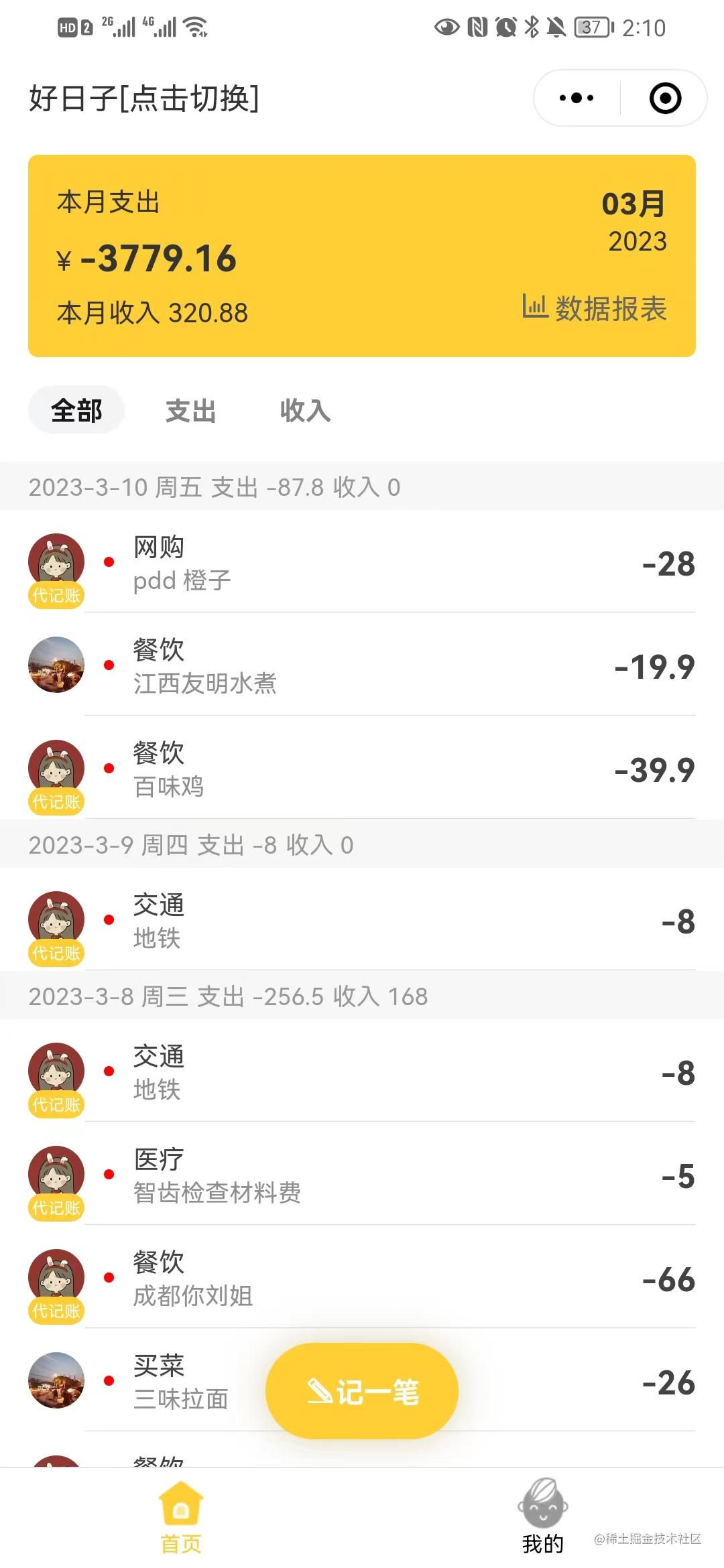
async list({ openId, plus = 0, year, month, name_id }) {// console.log('2023-2-1', openId, plus, plus === 0, year, month, day);// let w = `where 1=1`;// let a = `where 1=1`;// if (openId) {// w += ` and b.openId = '${openId}'`;// a += ` and b.openId = '${openId}'`;// }// if (year) {// w += ` and year = ${year}`;// a += ` and year = ${year}`;// }// if (month) {// w += ` and month = ${month}`;// a += ` and month = ${month}`;// }// // if (day) {// // a += ` and day = ${day}`;// // }// if (+plus) {// w += ` and plus = ${plus}`;// }// 本月 支出 + 收入 = 总和// const sumSql = `select sum(price) from book b ${a}`;// const MonthCount = await this.app.mysql.query(sumSql);// 本月 支出const outSql = `select sum(price) from book where name_id = ${name_id} and year = ${year} and month = ${month} and plus = 1 and disabled = 0`;const MonthOutCount = await this.app.mysql.query(outSql);// 本月 收入const inSql = `select sum(price) from book b where name_id = ${name_id} and year = ${year} and month = ${month} and plus = 2 and disabled = 0`;const MonthInCount = await this.app.mysql.query(inSql);// 当月 所有明细// const sql = `select b.*, u.nickname, u.avatar, i.title icon_title from book b inner join user u on b.openId = u.openId inner join cate i on b.cate_id = i.id ${w} group day order by create_time desc`;const sql = `select distinct day, month, year from book where name_id = ${name_id} and year = ${year} and month = ${month} and disabled = 0 order by day desc`;let days = await this.app.mysql.query(sql);// const detailSql = `select * from book where openId = '${openId}' and year = ${year} and month = ${month}`;// const detailSql = `select b.*, u.nickname, u.avatar, i.title icon_title from book b inner join user u on b.openId = u.openId inner join cate i on b.cate_id = i.id where openId = '${openId}' and year = ${year} and month = ${month} order by create_time desc`;let n = '1 = 1 and disabled = 0';if (+plus) {n += ` and b.plus = ${plus}`;}for (let val of days) {val.date = `${val.year}-${val.month}-${val.day}`;val.items = [];val.items = await this.app.mysql.query(`select b.*, u.nickname, u.avatar, c.title icon_title from book b inner join user u on b.openId = u.openId inner join cate c on b.cate_id = c.id where ${n} and b.name_id = ${name_id} and year = ${year} and month = ${month} and day = ${val.day} order by create_time desc`);}}
我的sql语法不太完美,请大神提出宝贵意见。
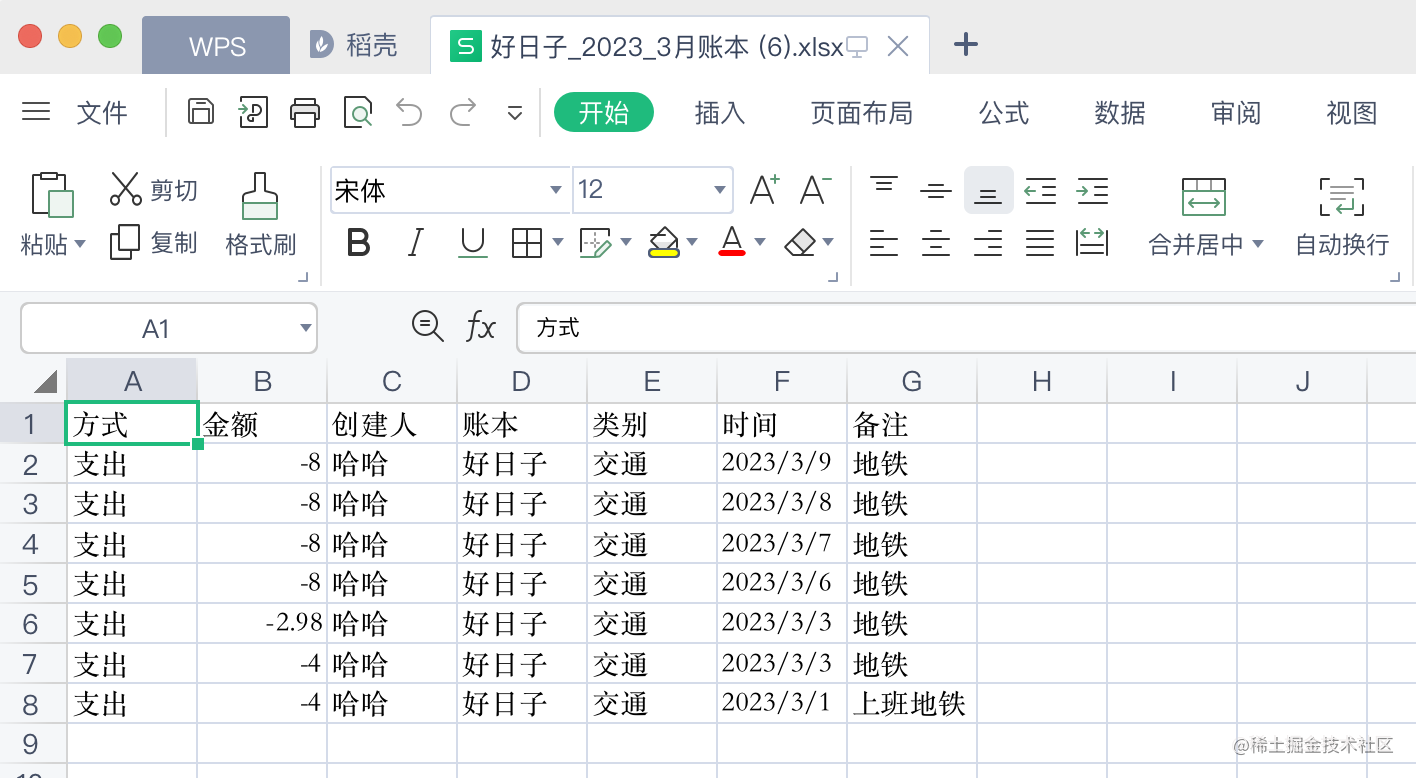
5. 导出数据 excle表格, 可根据自己的需求导出想要的类目。
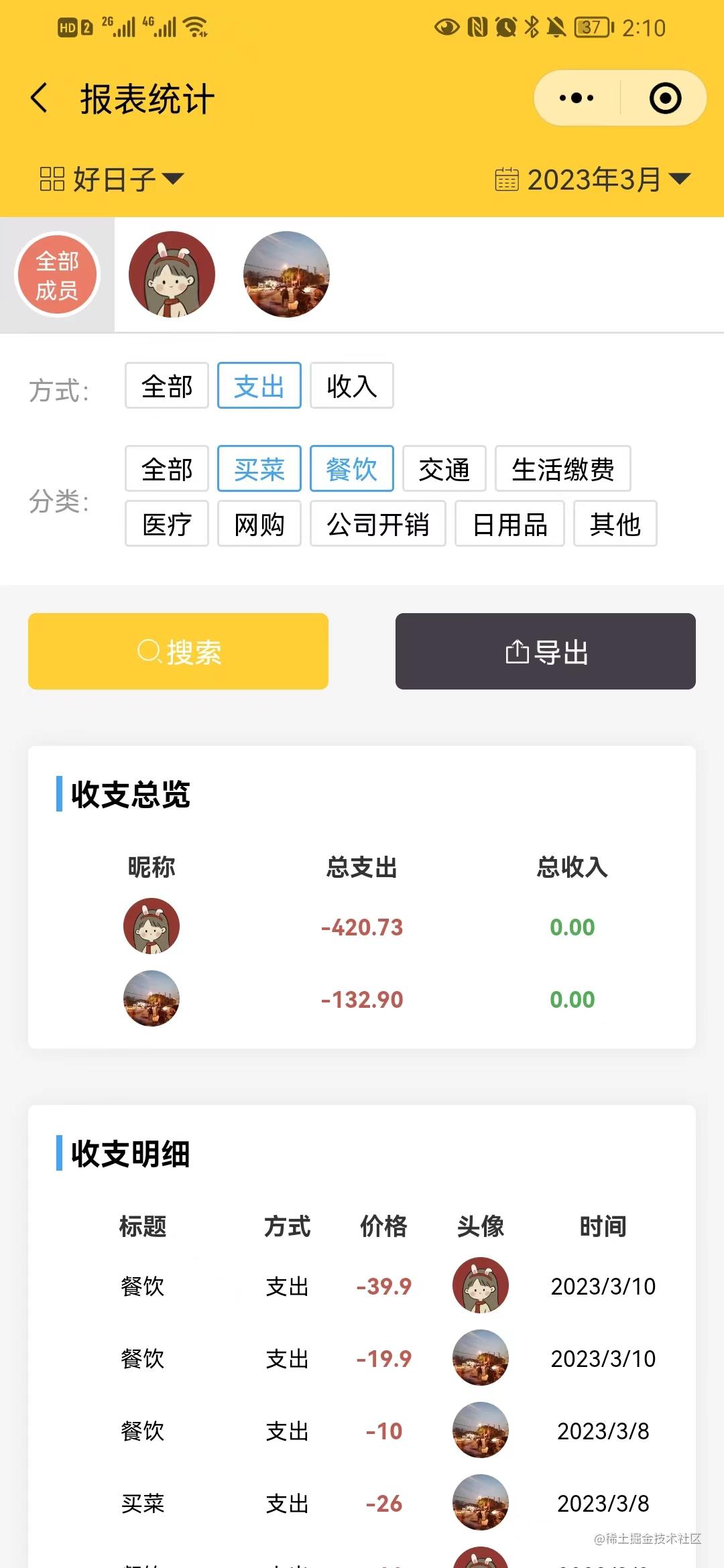
// 导出async export() {const { ctx, service } = this;try {let query = ctx.request.query.code // 当前code需要解密,需要自己的制定自己的解密规则console.log('search-query', query);query = JSON.parse(query);let list = await service.book.search(query);const bookDetail = await service.name.query({ id: query.name_id });let xls = [[]];xls[0] = ['方式', '金额', '创建人', '账本', '类别', '时间', '备注'];for (let index = 0; index < list.length; index++) {const element = list[index];xls[index + 1] = [element.plus === 1 ? '支出' : '收入',element.price,element.nickname,element.name_title,element.cate_title,element.year + '/' + element.month + '/' + element.day,element.remark,];}// console.log('xls', xls);const wb = XLSX.utils.book_new();XLSX.utils.book_append_sheet(wb, XLSX.utils.aoa_to_sheet(xls), '账本');const buf = XLSX.write(wb, { type: 'buffer', bookType: 'xlsx' });const filename = encodeURIComponent(`${bookDetail.title}_${query.year}_${query.month}月账本`);// 设置header关键代码ctx.set('Content-Disposition', `attachment; filename="${filename}.xlsx"`);ctx.set('Content-Type', 'application/vnd.ms-excel');ctx.status = 200;ctx.body = buf;// cb(ctx, 200, 200, '导出成功', list);} catch (err) {cb(ctx, 200, 422, '导出失败', JOSN.stringify(err));}}
- excle:
6. 上传文件 用户头像和cover图,可动态生成文件夹目录。
'use strict';
const fs = require('fs');
const path = require('path');
const mkdirp = require('mkdirp');const { cb, formatDate } = require('../../utils');// 生成新的文件名称
function getUploadFileExt(name) {let ext = name.split('.');let last = formatDate(new Date(), 'YYYYMMDDhhmmssms');return `${last}.${ext[ext.length - 1]}`;
}const Controller = require('egg').Controller;class UploadController extends Controller {async file() {const { ctx } = this;try {// 1. 获取文件流const file = ctx.request.files[0];// console.log(33, file);// 2. 生成filenameconst name = getUploadFileExt(file.filename);// console.log('name', name);// 3. 获取bucket ps: demo 或者 demo/test 或者 demo/test/cdconst { bucket = 'avatar' } = ctx.request.body;// 4. 生成文件夹const dir = path.join(__dirname, `../public/images/${bucket}`);// console.log('dir', dir);await mkdirp(dir);// 5. 文件流读取/写入const filePath = `${dir}/${name}`;let readStream = fs.createReadStream(file.filepath);var writeStream = fs.createWriteStream(filePath);readStream.pipe(writeStream);readStream.on('end', function () {fs.unlinkSync(file.filepath);});cb(ctx, 200, 200, '上传成功', {url: `http://${ctx.request.header.host}/public/images/${bucket}/${name}`,});} catch (err) {cb(ctx, 200, 500, '上传失败!', JSON.stringify(err));}}
}module.exports = UploadController;
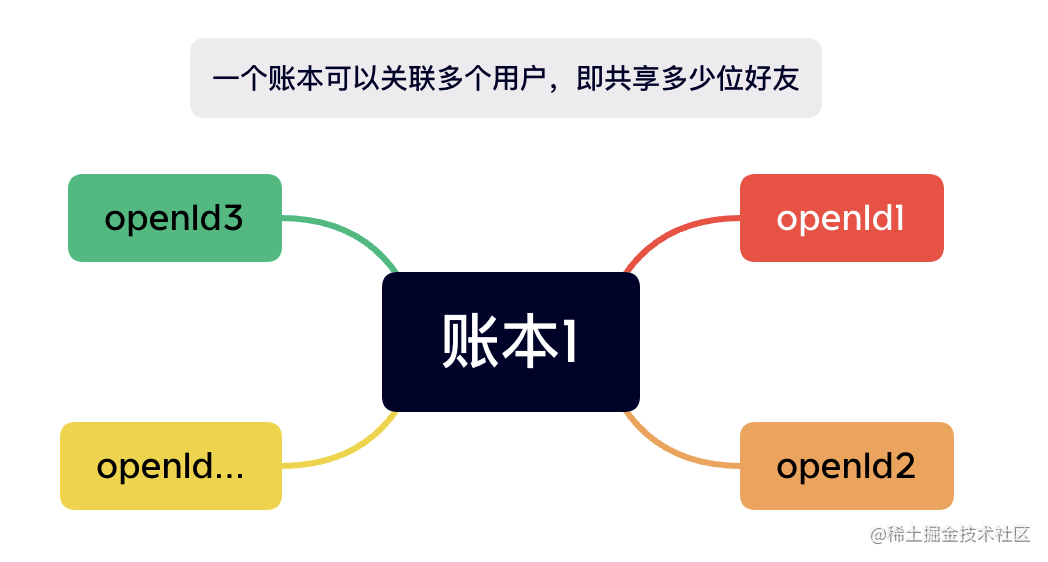
7. 好友共享账本

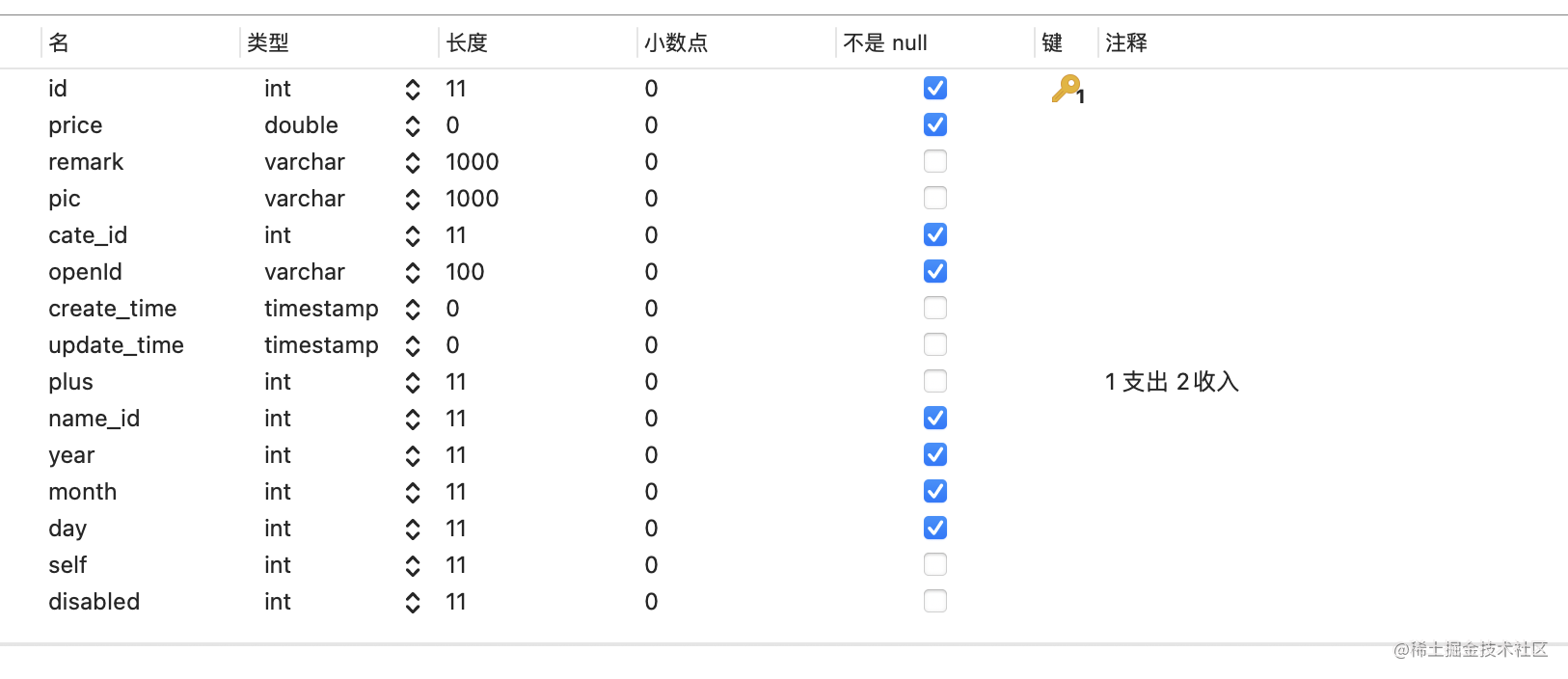
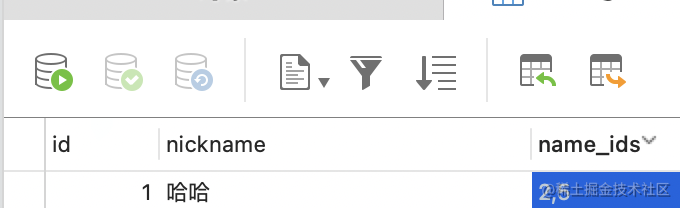
8. 具体的数据表设计展示如下
- 账本表

- 用户表
5. 博客
我的个人blog网站:https://www.zhooson.cn/ 有其他前后端项目代码已开源。
相关内容
热门资讯
最新或2023(历届)吉首市两...
最新或2023(历届)-最新或2023(历届)湖南省教师教龄工资调整,教龄津贴每月多少钱 最新或2...
最新或2023(历届)娄底市两...
最新或2023(历届)湖南省教师工资改革标准细则 1、湖南省教师基本工资 办事员2800元;科员...
最新或2023(历届)怀化市两...
教师涨工资套改,由岗位工资和薪级工资替代原来的职务工资、津贴工资,其他原享用的各种津贴如物福补贴、生...
最新或2023(历届)永州市两...
最新或2023(历届)-最新或2023(历届)湖南省教师教龄工资调整,教龄津贴每月多少钱 最新或2...
最新或2023(历届)郴州市两...
最新或2023(历届)湖南省教师工资改革标准细则 1、湖南省教师基本工资 办事员2800元;科员...