

C++模拟OpenGL库——图片处理及纹理系统(三):图片缩放操作:简单插值二次线性插值
创始人
2024-04-10 16:39:35
目录
简单插值
二次线性插值
简单插值

如图,我们想把一张小图缩放成一张大图,自然的想法就是按照它们的长宽比例进行缩放(zoomX)。
但是问题也显而易见,在缩放的过程中,小图的像素并不能一一映射到大图的每一个像素中,会导致失真,也就是说大图中的像素与像素之间并不是原图像素的连续。
开始动手,我们在Image.h中添加方法:
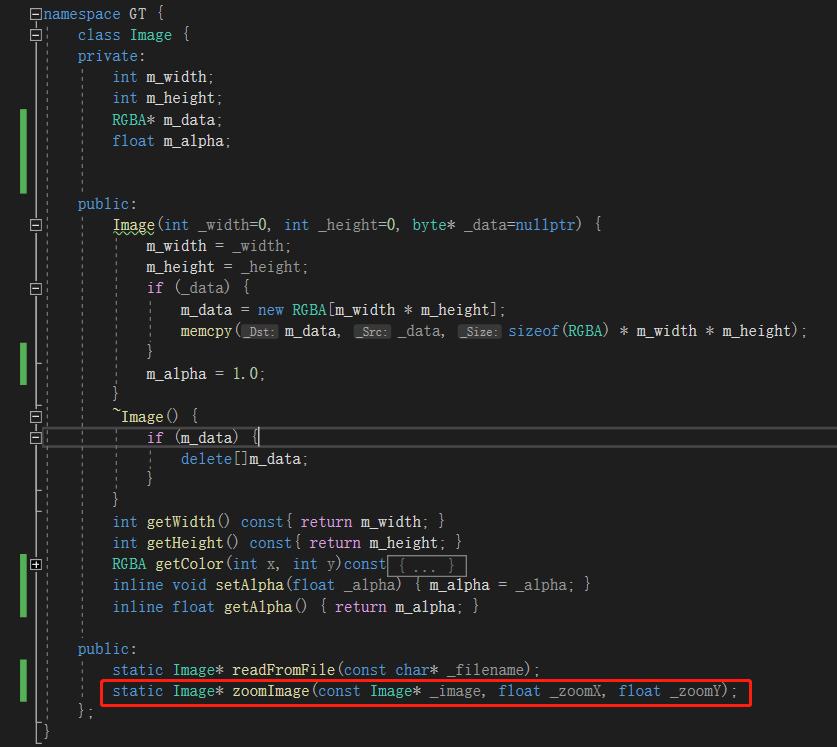
实现如下:
通过简单的设置缩放比例来实现对像素的操作
Image* Image::zoomImage(const Image* _image, float _zoomX, float _zoomY){int _width = _image->getWidth() * _zoomX;int _height = _image->getHeight() * _zoomY;byte* _data = new byte[_width * _height * sizeof(RGBA)];Image* _resultImage = nullptr;for (int i = 0; i < _width; ++i) {for (int j = 0; j < _height; ++j) {int _imageX = (float)i / _zoomX;int _imageY = (float)j / _zoomY;_imageX = _imageX < _image->getWidth() ? _imageX : (_image->getWidth() - 1);_imageY = _imageY < _image->getHeight() ? _imageY : (_image->getHeight() - 1);RGBA _color = _image->getColor(_imageX, _imageY);memcpy(_data + (j * _width + i) * sizeof(RGBA), &_color, sizeof(RGBA));}}_resultImage = new Image(_width, _height, _data);delete[]_data;return _resultImage;}我们把它放大三倍
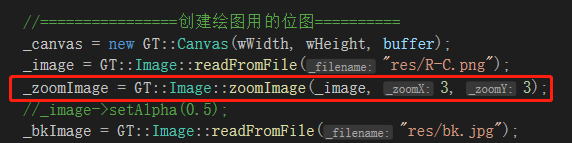
效果如下,非常粗糙。

5倍:

二次线性插值
刚才简单插值的效果我们也看到了,非常的糊。
原因在于我们直接进行了整数上的乘除操作,也就意味着要截断浮点数的值。
那如果我们要考虑这些浮点数具体是多少呢?
先上图
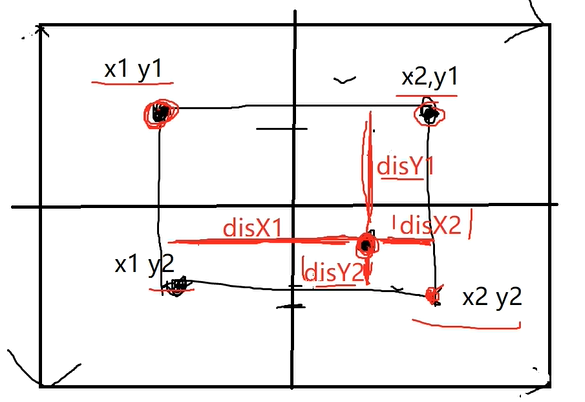
总体的原理就是:我们考虑一个点的颜色值时,需要考虑周围四个像素的颜色值,进行一个判断来决定最后的颜色值。
在图中,我们可以根据分割出来的区域来确定周围四个像素对其目标点的贡献权重值。
对于(x1,y1)对其目标点的贡献为:disX2 * disY2;
对于(x2,y1)对其目标点的贡献为:disX1 * disY2;
对于(x1,y2)对其目标点的贡献为:disX2 * disY1;
对于(x2,y2)对其目标点的贡献为:disX1 * disY1;
其实可以看出规律,就是想对应的面积区域所占整体面积(为1)的比值,因为是负相关的。
同样的,在Image中实现:
Image* Image::zoomImageBilinear(const Image* _image, float _zoomX, float _zoomY){int _width = _image->getWidth() * _zoomX;int _height = _image->getHeight() * _zoomY;byte* _data = new byte[_width * _height * sizeof(RGBA)];Image* _resultImage = nullptr;float coordX = 0.0, coordY = 0.0;int x1 = 0, x2 = 0, y1 = 0, y2 = 0;float disX1 = 0.0, disY1 = 0.0, disX2 = 0.0, disY2 = 0.0;for (int i = 0; i < _width; ++i) {//disX1 disX2的计算coordX = i / _zoomX;x1 = (int)coordX;if (x1 >= _image->getWidth() - 1) {x1 = _image->getWidth() - 1;x2 = x1;}else {x2 = x1 + 1;}disX1 = coordX - x1;disX2 = 1.0 - disX1;for (int j = 0; j < _height; ++j) {//disY1 disY2的计算coordY = j / _zoomY;y1 = (int)coordY;if (y1 >= _image->getHeight() - 1) {y1 = _image->getHeight() - 1;y2 = y1;}else {y2 = y1 + 1;}disY1 = coordY - y1;disY2 = 1.0 - disY1;//取周围四个像素的颜色值RGBA _color11 = _image->getColor(x1, y1);RGBA _color21 = _image->getColor(x1, y2);RGBA _color12 = _image->getColor(x2, y1);RGBA _color22 = _image->getColor(x2, y2);RGBA _targetColor;_targetColor.m_r =(float)_color11.m_r * disX2 * disY2 +(float)_color12.m_r * disX2 * disY1 +(float)_color21.m_r * disX1 * disY2 +(float)_color22.m_r * disX1 * disX2;_targetColor.m_g =(float)_color11.m_g * disX2 * disY2 +(float)_color12.m_g * disX2 * disY1 +(float)_color21.m_g * disX1 * disY2 +(float)_color22.m_g * disX1 * disX2;_targetColor.m_b =(float)_color11.m_b * disX2 * disY2 +(float)_color12.m_b * disX2 * disY1 +(float)_color21.m_b * disX1 * disY2 +(float)_color22.m_b * disX1 * disX2;_targetColor.m_a =(float)_color11.m_a * disX2 * disY2 +(float)_color12.m_a * disX2 * disY1 +(float)_color21.m_a * disX1 * disY2 +(float)_color22.m_a * disX1 * disX2;memcpy(_data + (j * _width + i) * sizeof(RGBA), &_targetColor, sizeof(RGBA));}}_resultImage = new Image(_width, _height, _data);delete[]_data;return _resultImage;}
我们来对比一下两种方法:
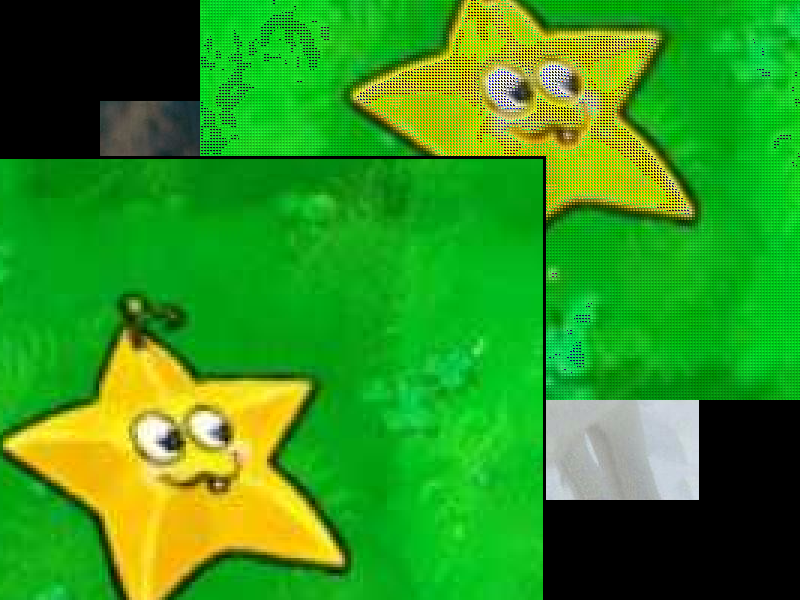
下面是简单插值,上面是二次线性插值,明显二次线性插值会更清晰一些,这里由于图片颜色比较特殊,所以看起来有些瑕疵,但原理大致是正确的。
上一篇:Java语法之多态
相关内容
热门资讯
产品收入快速增长 华丰科技预计...
1月28日晚间,华丰科技发布2025年年度业绩预盈公告。据披露,经财务部门初步测算,公司预计2025...
沪金银比跌至40附近 理财机...
21世纪经济报道记者 黄子潇 深圳报道黄金、白银仍在狂飙。1月28日,截至发稿,伦敦金突破5250美...
中国海淘消费多元化 小众潮玩与...
封面新闻记者 欧阳宏宇记者1月28日获悉,亚马逊海外购发布2025年第四季度《海淘消费趋势新风向》报...
小新Talkshow:藏在青稞...
藏历新年临近,“青稞酒故乡”西藏山南琼结县强钦村内,家家户户重燃灶火,酒香弥漫。村民正遵循千年古...
我国新增11项国家计量基准 筑...
转自:市场监管总局网站我国新增11项国家计量基准 筑牢高质量发展基石近日,市场监管总局批准新建11项...